
You can request proxy access to your family member's account. With proxy access, you can see their health information and your own from within the same MyChart account.
You can also give a family member or friend access to your medical records when you need help managing your appointments or other medical needs.
Each healthcare organization sets their own policies around proxy access, including who can have it, how access changes based on the patient's age, and what a proxy can see and do in MyChart.
To give someone access to your medical record:
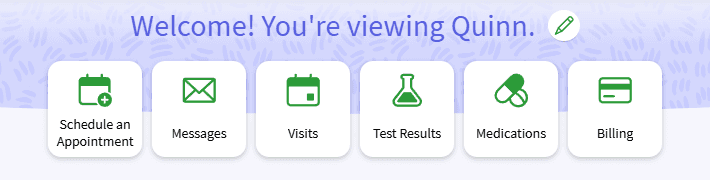
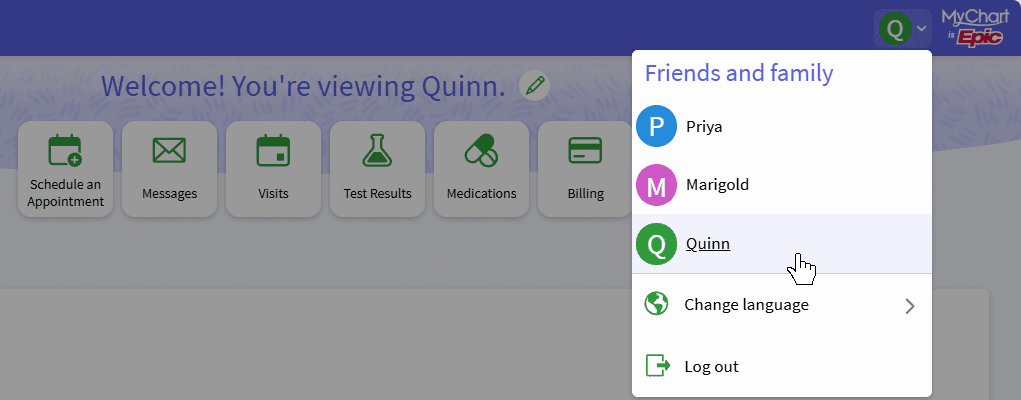
When you view someone's account as a proxy, the name of the account you are viewing appears at the top of the activity. You can switch between MyChart accounts by selecting the Switch menu in the top right corner.
If this option isn't available, contact your healthcare organization to find out how to get or give proxy access. Some organizations require you to contact them directly rather than setting it up yourself in MyChart. For example, some organizations require you to sign a paper form before getting proxy access.
Proxy access to a child's MyChart account changes as they get older due to privacy rights. Each organization determines the ages at which access might become limited or be removed. Contact your organization for details.
MyChart Central does not display your family's health information. If you have proxy access, select Friends and family on a linked account card to see the MyChart accounts you can access at that organization. Select the arrow to go to that organization's MyChart to view their information.
