
Find your MyChartLog in with Epic ID
  • Explore
  • News
  • Share My Story
  • About
  • Help
    Find your MyChart
    Log in with Epic ID
    Explore
    News
    Share My Story
    About
    Help
Help
MyChart Central

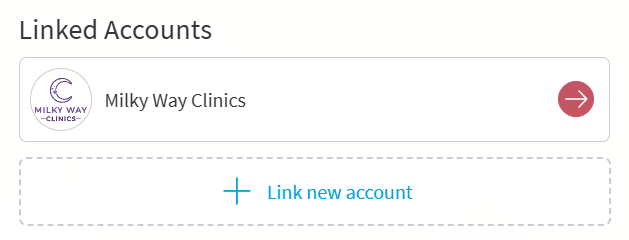
How do I link MyChart accounts to MyChart Central?

To link your MyChart accounts to your MyChart Central account:

  1. Log in to your MyChart Central account on a web browser or the MyChart mobile app.
  2. Select Link new account on the home page.

If you cannot find your healthcare organization, your organization might not have joined the MyChart Central network yet. You can view a list of participating organizations here and select the MyChart Central only checkbox. If your healthcare organization is not participating yet, check back later.
Related Questions

I’m trying to make a MyChart Central account. Why can't I find my organization?

Your organization might not have joined the MyChart Central network yet. Select Find your MyChart and filter by MyChart Central to check if your organization participates.

What do I do if my MyChart account failed to link to my MyChart Central account?

If your MyChart account fails to link to MyChart Central, make sure your contact information is up to date and accurate at both accounts. Contact your healthcare organization's MyChart help desk if you continue to have problems.

MyChart is Epic

MyChart licensed from Epic Systems Corporation © 1999–2026

Engage

  • Find your MyChart
  • Explore
  • News
  • Share my story

Learn more

  • About
  • Help
  • Privacy policy
  • Patient registry
  • Community training hub

Download the app

Download on the App Store
Get it on Google Play